

Online shopping is quick and simple. But it’s easy to pay too much. Always check for discounts before you buy.
For the biggest savings, use more than one discount at once. Combine coupon codes with cash back. Also, watch for price drops and use price tracking.
Prices can change from one store to another. When looking at deals online, don’t just look at the price. Consider free shipping, taxes, and if promo codes work at checkout.
Many deals are only available for a short time. They cover things like home goods, clothes, and even food. So, it’s important to budget for online shopping and avoid impulse purchases.
In the next sections, you’ll learn how to shop smart online. This includes planning, finding discounts, using tools, timing purchases, and saving at checkout.
Key Takeaways
- Check discount offers, promo codes, and coupon codes before every order.
- Combine cash back with coupon codes for bigger total savings.
- Use price tracking to spot price drops and avoid buying too early.
- Compare online deals across stores, including free shipping and taxes.
- Practice budgeting for online shopping to avoid impulse buying.
- Expect some deals to be short-lived across many everyday categories.
Plan Purchases to Unlock Bigger Savings Online
Big online deals are exciting, but planning is key. Setting a budget for groceries, clothes, gifts, and home items helps spot real deals. It also keeps you from going into debt and keeps bills steady.
Use the 50/30/20 budget rule to guide your spending. Allocate 50% for needs, 30% for wants, and 20% for savings. This makes it easier to decide what to buy now and what to wait for.
Before shopping, make a list. A list keeps you focused and avoids impulse buys. It turns browsing into a smart shopping plan.
| Purchase type | Plan first | Spending guardrail | Discount move |
|---|---|---|---|
| Groceries and staples | Check pantry, set week limit | Stick to your shopping budget ceiling | Reorder only what’s on the shopping list |
| Clothing and shoes | Note gaps (work, kids, weather) | Use the 50/30/20 budget rule “wants” slice | Watch price history and wait for a better drop |
| Gifts and holidays | Start early, track dates and sizes | Cap per person to protect cash flow | Buy during planned promos, not panic buys |
| Home and tech upgrades | Compare features you’ll use weekly | Delay if it cuts into savings goals | Try a holding period before checkout |
Behavior is as important as budgeting. Add a holding period to review items. For non-budgeted wants, try the 30-day rule.
Pause on purpose to get discount offers. Some retailers offer discounts for items left in your cart. Intentional spending is key, not random buys.
Where to Find Reliable Discount Offers Across the Web
Looking for deals? Look for limited-time price drops and “up to 50%” clearance. Also, watch for under-$5 deals, freebies, and simple discounts. Always check the terms before you buy.
Searching for promo codes can lead to shipping discounts and first-order savings. Coupon aggregator websites are great for comparing deals. But, make sure to check dates, exclusions, and cart minimums.
Retailer promotions are clear and easy to understand. Many stores offer discounts for signing up to their newsletters. Some even give discounts for texting in.
Emails can be full of deals, but they can also be spammy. You get early access to sales and special codes. But, you might get more ads.
Social media is also a good place to find deals. Look for verified brand accounts. Avoid codes from random posts or messages.
Referral programs offer savings for both you and your friends. You get a discount when your friend makes a purchase.
Some sites reward you for leaving reviews. You might get points or enter sweepstakes. Always check the store’s policy before writing a review.
Before buying, check local sites for free stuff. Community marketplaces like Craigslist often have free items.
| Source | What you’ll typically see | How to keep it reliable |
|---|---|---|
| Promo code search | Cart-wide percent-off, free shipping, limited-time codes | Match the code to the exact store name, then verify expiration and exclusions at checkout |
| Coupon aggregator websites | Multiple codes, shipping offers, “best today” roundups | Look for recent updates and test one code at a time to avoid stacking issues |
| Retail sign-ups | Newsletter signup discount, text signup discount, first-purchase perks | Use a dedicated inbox and save the welcome email until you’re ready to buy |
| Social media deals | Short promos, follower-only drops, story-only codes | Confirm the account is official and read the fine print in the post before sharing info |
| Referral discounts | Give-get credits, percent-off for both shoppers | Check that the referral is tracked to the right email and that it applies to your cart |
| Review incentives | Points, small credits, sweepstakes entries | Follow the posted rules and keep reviews factual so they aren’t rejected |
| Community marketplaces | Free pickups, low-cost bundles, curb alerts | Inspect items, confirm pickup details, and compare against new prices before committing |
Use Tools That Automatically Apply Coupons and Track Price Drops
Looking for deals can be like homework. A coupon browser extension makes it easier by finding savings for you. It scans for deals while you shop, saving you time.
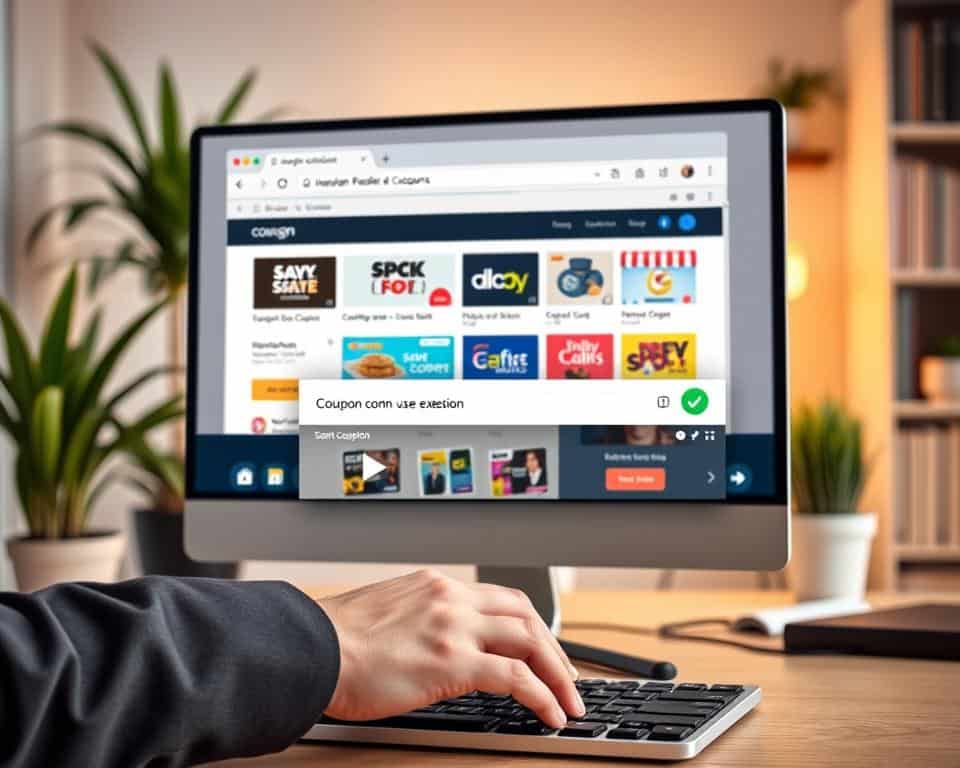
At checkout, tools can automatically apply promo codes. This is great when codes have specific rules. It also helps you catch discounts you might miss.
Price tracking tools help you wait for the best time to buy. They send alerts when prices drop. Some tools let you save items and get notified when they go on sale.
To find the best deals, use price comparison tools that help compare prices across stores. This way, you see the total cost, not just the item price.
| Tool Type | What It Helps With | How It Works in Real Shopping | Good Moment to Use It |
|---|---|---|---|
| coupon browser extension | Less searching and fewer missed discounts | Finds automatic coupons and can auto-apply promo codes during checkout | When your cart is ready and you want savings fast |
| price tracking tools | Timing buys for better pricing | Monitors history and sends price drop alerts; supports droplist-style watchlists | When an item isn’t urgent and you can wait for a sale |
| price comparison tools | Faster research across retailers | Checks multiple sellers using Google Shopping, ShopMania, and Yahoo Shopping to compare total cost | When the same product shows up on many sites |
| Post-purchase policies | Protecting your purchase after checkout | Asks for price matching or a price adjustment if a lower price appears soon after purchase, often via chat | Right after a big sale starts or when a price drops quickly |
Some stores match prices or adjust them if they drop after you buy. Asking for this can be easy with customer service chat or a call.
For Amazon, CamelCamelCamel is a top choice for tracking prices. PriceBlink is great for finding deals across the web. Together, these tools can make finding deals a regular part of your shopping.
Time Purchases Around Major Online Sales and Seasonal Discounts
The best time to buy online is not always random. Prices often follow seasonal sales cycles. This means shopping by the calendar can help you save money.
Start with major shopping holidays. Match the event to the item you need. For example, Presidents’ Day sales are great for home items like furniture and mattresses.
Memorial Day deals often bring big price cuts on home needs. Mid-summer is also important, with Prime Day sparking quick markdowns on popular brands.
Late summer is perfect for back-to-school sales. You can find discounts on laptops, printers, and basic school supplies. In some states, a sales-tax holiday in August can make these items even cheaper.
To plan your shopping, keep a guide like best-buy windows by month open. This will help you know when to buy what.
| Sale moment | What it’s known for | What to watch for online |
|---|---|---|
| Presidents’ Day sales (February) | Home goods, mattresses, and winter leftovers shifting out | Category promos, bundle pricing, and early end-of-season clearance on cold-weather items |
| Memorial Day deals (May) | Mattress events, outdoor gear, and early-summer staples | Limited-time price drops, stacked promos, and weekend-only markdowns |
| Prime Day (July) | Fast-moving electronics and home essentials, often with price matching | Lightning-style offers, member perks, and short restock windows |
| Back-to-school sales (late July–August) | Computers, classroom supplies, and everyday basics | State-by-state sales-tax holiday rules, plus category filters for student gear |
| Labor Day discounts (September) | Mattresses, home furnishings, appliances, and summer inventory | Last-chance summer pricing and deeper end-of-season clearance on outdoor items |
| Black Friday online (October–November) | Sitewide promos that can start early, specially on electronics | Ad leaks, early access events, and price protection policies |
| Cyber Monday deals (late November) | Personal electronics and small kitchen appliances, often extending for days | Week-long markdowns, rotating coupon banners, and category-based deal pages |
To time purchases well, watch for announcements in your mailbox, inbox, and on retailer homepages. Deal feeds help you spot clearance drops and limited-time offers. With a simple list of dates and needs, you can make the most of seasonal sales.
Maximize Total Savings at Checkout With Stacking and Smart Redemption
Real checkout wins come from stacking only what the store allows. You can layer a promo code with coupon stacking and cash back stacking. Also, use points from rewards credit cards when terms permit. Always keep your spending in check, so a deal never pushes you past your budget.
Cash back stacking often starts before you even hit “pay.” Activate offers in a cash-back app or browser extension. Then, confirm the rebate tracks at that retailer after you enter your code. Loyalty programs can add member-only prices or points. But, don’t let rewards turn into extra items you didn’t plan to buy.
Don’t ignore fulfillment costs, because shipping can erase a discount fast. Try free shipping codes, or add an item only if it meets a minimum you already needed. When it fits your routine, in-store pickup savings can cut delivery fees. It also helps curb impulse buys by keeping the trip quick.
Price protection is part of a solid checkout savings strategy. Check for price matching before you buy. If the price drops soon after, ask for a price adjustment through customer service chat or phone. If an order arrives damaged or not as described, request a refund first. If the seller won’t fix it, you may dispute charge FTC credit card protection applies. The Federal Trade Commission notes credit cards can offer dispute rights and fraud protection.